
There are 4 wireless lapel microphones available in room 130 for presenter use

How it works

First:
Turn the device on and off from the top by sliding a small knob-like switch located between the antennae post and the microphone.

Second:
The transmitter display shows multiple functions of the mic.
1. Battery indicator- Bars displayed indicate meaning remaining battery life
2. Home Screen Display- Use the arrow keys to select a screen
3. Encryption Status- Icon displayed when encryption is enabled
4. Lock – Displayed when transmitter controls are locked
5. RF Power – RF power setting (Lo or Hi)
6. Mic Offset – displays mic offset level in 3 dB increments
Third:
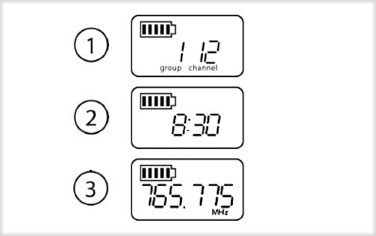
Home Screen Display- There are 3 different displays to choose from:
1. Group and Channel
2. SBgoo Battery Runtime
3. Frequency